
Download Auto Youtube Downloader – YouTube downloader, video converter, offline video, multimedia tool, video manager, clip manager, free video download, MP4, MOV, 3GP
Overview
The Auto Youtube Downloader is a utility application designed to facilitate the downloading and management of video content from online platforms such as YouTube and Vimeo. Its primary purpose is to enable users to save streaming videos for offline viewing, offering a practical solution for individuals who want to access content without relying on an internet connection. This functionality is particularly beneficial for users in areas with limited bandwidth, travelers, or those who wish to preserve content for later review.
Target users include students, educators, content creators, and casual viewers who frequently access video material and need a reliable way to store it locally. The app addresses the common challenge of restricted access to online videos due to network issues, regional licensing, or time constraints. By converting videos into multiple formats, it enhances compatibility across different devices, ensuring that users can play their downloads on smartphones, tablets, or media players.
Although the developer did not provide additional technical details about the development background, the app has been available since 2010, indicating a long-standing presence in the utilities category. Its continued relevance suggests a stable core functionality that meets user needs over time. The app plays a role in the broader ecosystem of digital content tools, serving as a bridge between online streaming and offline consumption.
Key Features & Functionality
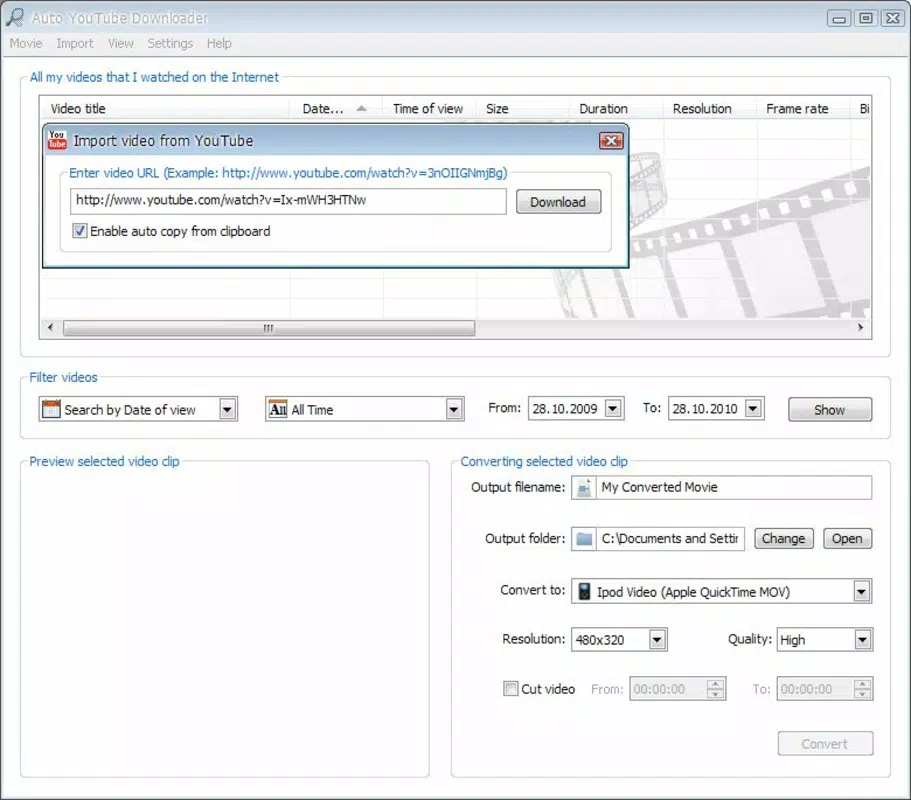
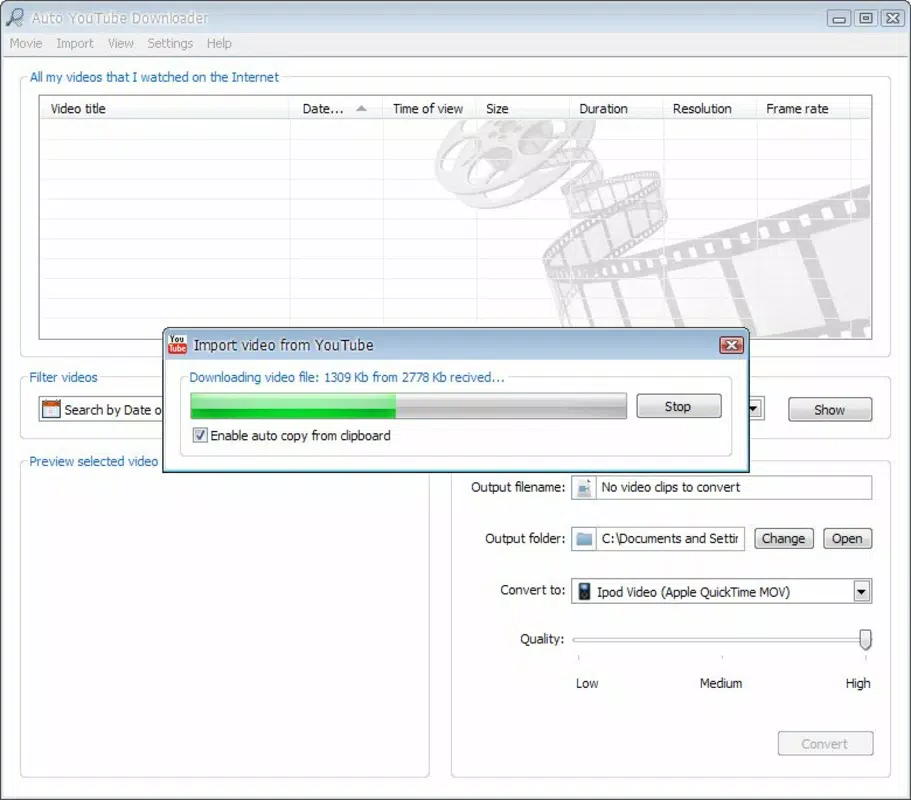
- Streamlined Video Downloads: Users can download videos by simply copying and pasting the URL into the application. This low-effort process minimizes friction and supports rapid content acquisition from supported platforms.
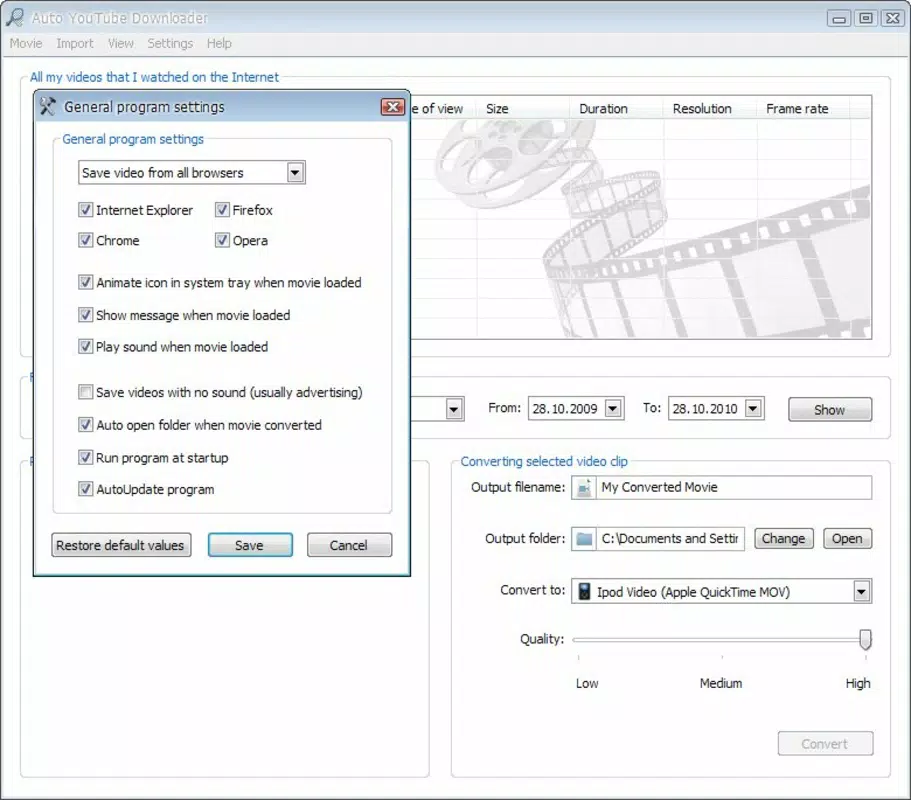
- Multiple Format Conversion: The app supports output formats including MP4, MOV, and 3GP, which are widely used across mobile devices, gaming consoles, and portable media players. This ensures broad device compatibility and flexibility in how users consume their content.
- Full-Screen Playback: After downloading, videos can be played directly within the app using a full-screen interface. This feature enhances viewing clarity and immersion, ideal for detailed analysis or presentations.
- Comprehensive Clips Manager: Each downloaded video is stored with metadata, enabling users to organize, search, and manage their media library efficiently. This feature supports long-term content retention and easy retrieval.
For example, a student might use the app to download educational lectures for review during a commute. A content curator could convert videos into 3GP format for compatibility with older mobile devices. The clips manager allows users to tag or categorize content, improving workflow efficiency.
Interface, UX & Performance
The user interface of Auto Youtube Downloader is designed with functionality in mind, featuring a clean layout that prioritizes core tasks: URL input, download initiation, and playback control. Navigation is straightforward, with minimal layers, allowing users to complete tasks quickly without confusion. The application maintains consistent visual cues and logical button placement, contributing to a low learning curve.
Although the developer did not list formal performance metrics, the app’s lightweight nature—14.5 MB in size—suggests efficient resource usage. It is expected to operate smoothly on systems with standard specifications, though detailed information on responsiveness across different hardware configurations was not provided. Stability appears to be maintained over time, given its release date in 2010 and continued availability.
Users can expect consistent behavior during download processes and playback, with no reported issues related to crashes or freezes in the provided data. The app’s performance is likely optimized for typical desktop environments, but specific details about multitasking, background processing, or GPU acceleration were not disclosed.
Platform Compatibility & Technical Requirements
Auto Youtube Downloader is designed for the Windows platform. The current version is 3.1.1, and the application file size is 14.5 MB. The developer did not specify minimum OS requirements, nor did they list compatibility with specific Windows versions such as Windows 7, 8, 10, or 11.
Given the app’s release date in 2010, it may function on older Windows systems, but users are advised to verify compatibility with their current operating environment. The absence of detailed technical specifications means that users should exercise caution when installing on newer systems, especially those with enhanced security protocols or updated system libraries.
For users seeking to install or update the app, the process is expected to be simple, given the small file size and standard executable format. However, no information was provided about automatic update mechanisms or version history beyond the current release.
Pros and Cons
Pros
- Free to download and use with no hidden costs.
- Supports multiple output formats for broad device compatibility.
- Simple one-click download process via URL input.
- Includes full-screen playback and media management tools.
- Lightweight application with minimal system impact.
Cons
- Developer did not provide detailed system requirements or OS compatibility.
- No information on automatic update functionality.
- App is not available on mobile platforms (Android or iOS).
- Outdated release date raises concerns about long-term support and security.
- No official documentation or user guides were referenced.
FAQ
Is Auto Youtube Downloader safe to download and install?
Yes, the app is free and available through official channels. However, users should ensure they are downloading from a trusted source to avoid bundled software or malware.
Can I download videos from YouTube using this app?
Yes, the app supports downloading videos from YouTube and other platforms like Vimeo, provided the content is publicly accessible.
Does the app support mobile devices?
No, the current version is designed for Windows desktop systems only. There is no official Android or iOS version available.
How do I update Auto Youtube Downloader?
The developer did not specify an automatic update mechanism. Users may need to manually check for new versions on the official website.
What file formats can I convert videos to?
The app supports conversion to MP4, MOV, and 3GP formats, which are widely compatible with most devices and media players.
Final Thoughts
Auto Youtube Downloader remains a functional utility for users seeking a straightforward way to download and manage video content offline. Its core features—simple URL-based downloads, format conversion, and playback—continue to serve a niche audience that values reliability over modern aesthetics. While the app lacks mobile availability and has not seen a recent update, its lightweight design and free access make it a viable option for desktop users on older Windows systems.
For students, educators, and media enthusiasts who need to archive or review video content without internet dependency, the app delivers tangible value. Its clips manager and playback features add depth to the user experience, enhancing content organization and viewing quality.
Despite its age, Auto Youtube Downloader continues to fulfill its intended purpose effectively. However, users should be mindful of potential compatibility and security considerations when running legacy software on modern systems.
Download Auto Youtube Downloader now


